Time Booster
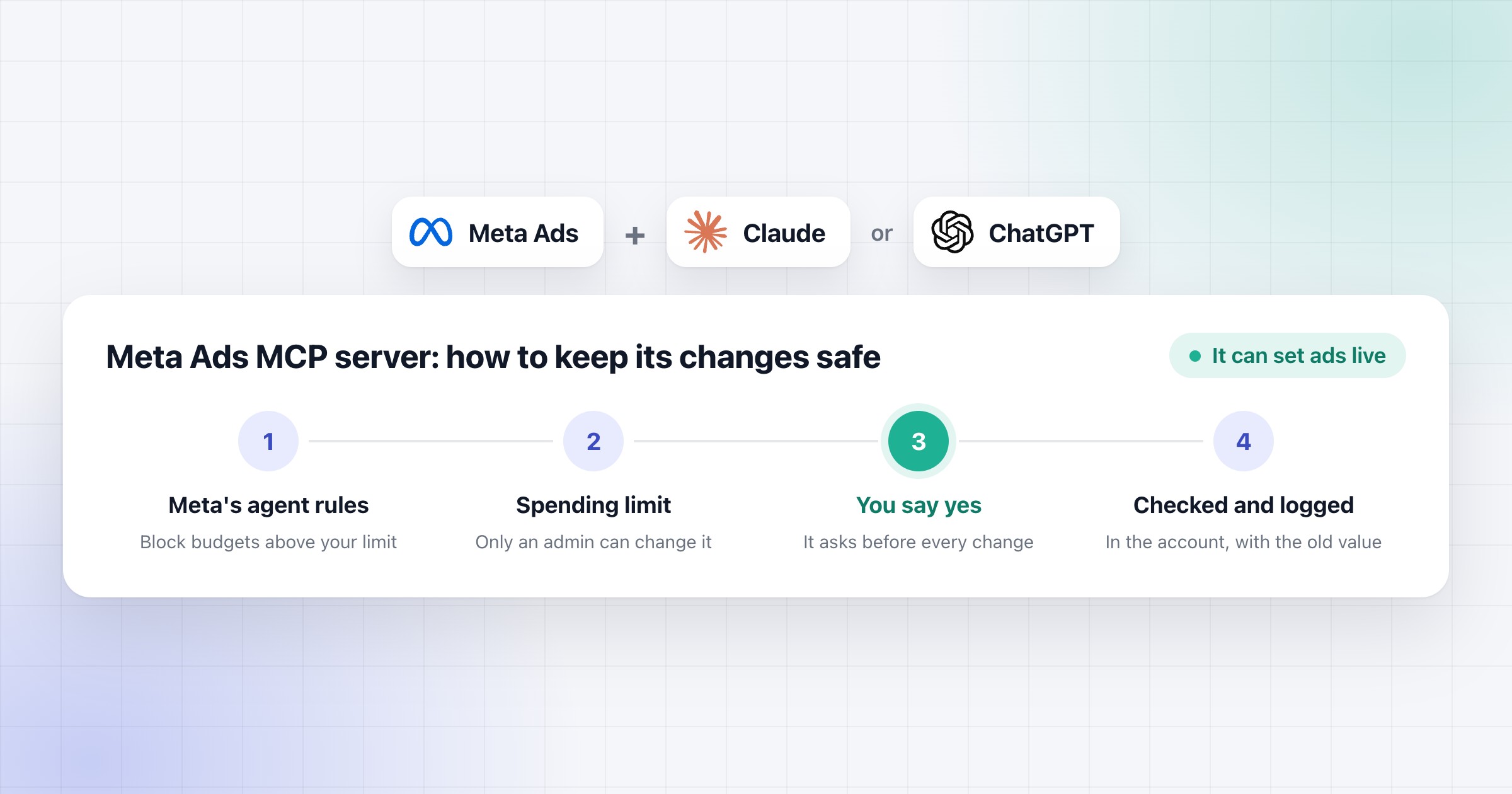
Four steps to keep Meta's ads MCP server safe. First Meta's agent rules and an account spending limit. Then the AI asks before every change, you say yes, and it checks and logs each one. Above it, the Meta Ads, Claude and ChatGPT logos.
Paid ads· 9 min read

Meta Ads MCP server: what it can do, how to keep it safe, and how to connect it

Meta's ads MCP server lets Claude or ChatGPT read and change your Meta ad accounts. What it can do, how to keep it safe, and how to connect it, step by step.

Ivan Tsekov

Written by

Ivan Tsekov

Founder, Time Booster

Before building growth engines that AI agents keep running, Ivan spent more than 10 years in performance marketing: Google Ads, Meta ads, email and funnels for B2B and B2C companies, with over €5M in ad spend managed and the full funnel owned from first click to closed deal.

Follow on LinkedIn

On this page
  1. 1.What Meta's ads MCP server can do
  2. 2.A prompt for your first report, to paste into Claude or ChatGPT
  3. 3.What it can't do, and what to watch
  4. 4.How to keep its changes safe
  5. 5.How to connect it to Claude or ChatGPT
  6. 6.Questions people ask

Meta's ads MCP server is a connector that lets Claude or ChatGPT read and change your Meta ad accounts. You ask in plain words, and it pulls the numbers, or builds and edits campaigns, ad sets and ads. It can also set a paused ad live, which Meta says starts spending budget.

MCP is a way of connecting AI assistants to other tools, and this is Meta's own server for it. Google says its server for Google Ads only reads, so on Meta the safety part comes first. I've managed €5M+ of ad spend over 10+ years, and when I take over an account, I look at everything before I touch anything.

In short:

  • It reads your ad account, and it can also create, edit and set ads live.
  • The campaigns, ad sets and ads it creates start paused. By default, the only check before one goes live is the question your AI app asks, so never click "Allow always".
  • Before the first prompt, set Meta's agent rules, an account spending limit and a login that isn't an admin.
  • All it takes is one address and a Facebook sign-in, with no developer app. The steps are at the end.

What Meta's ads MCP server can do

It reads your ad accounts, and it can change them too. It can build campaigns, edit them and set them live.

What it reads:

  • campaigns, ad sets and ads, with spend, impressions, conversions and more, for the dates and breakdowns you choose
  • the opportunity score and Meta's recommendations
  • delivery errors and the account's activity history
  • your pixel's data quality, and the public Ad Library

What it changes:

  • campaigns, ad sets and ads: it creates them paused, edits them and sets them live
  • ads with a single image, a video or a carousel, and boosts of your Instagram posts
  • custom audiences, including the people on a customer list, and deleting them
  • pixel event rules, catalogs, A/B tests and lift studies

Meta rolls these out account by account, so you may not have all of them yet. That's why my prompt below first asks what your connection can change.

You ask the way you'd ask a colleague. For example, "Which ad sets spent the most last week, and which are still learning?"

The reports alone are worth a lot. On Meta it can also make the fix, and in the setup we build for clients it does that once you say yes.

A prompt for your first report, to paste into Claude or ChatGPT

This is the first report I'd ask for on a new Meta account. It covers what the connection can change, then the money, then up to three changes to approve. Fill in the account and your target, and paste it as it is. Below it is Claude's answer on a sample store's account data. Then comes the answer, and the change Claude made and checked.

The prompt
Read this Meta ad account and give me a first report.

Ad account: <account name or ID>
My target: <the cost per purchase or ROAS your margins allow, such as a 2.5 ROAS>
Period: the last 7 full days, against the 7 days before.

1. What this connection lets you change, in plain words. Say first if you can set ads live or edit live ones.
2. The money: each active campaign and ad set by amount spent, with results, cost per result or ROAS against my target, frequency and Delivery status (Active, Learning or Learning limited).
3. Fatigue: Meta's Creative limited and Creative fatigue flags first, then frequency over 2.5 where it rises while reach falls or cost per result rises.
4. Rejected ads and delivery errors, with Meta's reason.
5. Up to three changes, ranked by how much money each one touches, each with its current and proposed value, its evidence, and whether it means a new review or restarts learning. For a Learning limited ad set, use only Meta's own fixes. No structural edit within 7 to 10 days of an ad set's launch or last significant edit.
6. The order to make them in, the days to wait between them, and what you couldn't check.

Show it as one page (an artifact), with an Approve and a Reject on each change. Change nothing until I say yes. When I say yes, make the changes and check them in the account. Keep it short, use the words from Ads Manager, and check every sum.
Example
Read this Meta ad account and give me a first report. …

Last week (12 to 18 Oct) the account returned a ROAS of 2.61 on €2,052.01 spent, just over your 2.5 and down from 2.80. The drag is the dog and cat campaign, at 1.72 on 35% of the spend, and the retargeting video is wearing out: frequency up from 2.40 to 3.40 while reach fell from 5,042 to 3,651.

Meta account reportclaude.ai/code/artifact/ca49d68c…

claude.ai/code/artifact/ca49d68c-f788-cb1c-1bac-4085437da085
Meta Ads · first report · last 7 full days

ROAS 2.61 against your 2.5, with the dog and cat campaign at 1.72 on 35% of the spend

Sample Pet Supplies IE · 3 campaigns, 4 ad sets · 12 to 18 Oct against 5 to 11 Oct 2026

ROAS2.61Target 2.5 · 2.80 the week before
Amount spent€2,052.01€5,360.50 purchase value
Purchases100106 the week before · €20.52 each
PRO campaign ROAS1.72€725.35, 35% of the spend

What this connection can change

Yes: I can set ads live and edit live ones, budgets and targeting included. New campaigns, ad sets and ads start paused; I can also manage custom audiences and pixel event rules, but I can't upload images or videos.

The money, 12 to 18 Oct

By amount spent, the week before in brackets. Your target ROAS is 2.5.

Ad set · DeliveryAmount spentPurchasesROASFrequency
ADV+ Sales · Active€1,117.35612.96 (2.85)1.85
PRO campaign, both ad sets€725.35251.72 (1.99)1.46
PRO Dog owners | Broad · Learning limited€415.90151.99 (2.26)1.45
PRO Cat owners | Interests · Learning€309.45101.35 (1.63)1.37
RT Site visitors 30d · Learning limited€209.31143.84 (5.37)3.40
Total€2,052.011002.61 (2.80)-

Fatigue

Meta flags Creative limited on the RT ad set, the only one over 2.5: frequency 2.40 to 3.40, reach 5,042 to 3,651, cost per purchase €10.99 to €14.95. No Creative fatigue flags.

RT | Site visitors 30d: frequency per day
1.461.361.431.461.461.391.391.461.501.531.571.621.671.70
5 Oct12 Oct18 Oct

Last 7 days: up every day, 3.40 over the week

Rejected ads and delivery errors

One: PRO Cat | Static | Light formula is Rejected for Non-functional landing page, “Ads must not direct people to non-functional landing pages.” It hasn't delivered since it was made on 13 Oct. No other errors, and the account is active.

Changes, ranked by the money they touch

Meta lists 3 recommendations (opportunity score 71). They make 2 changes: Advantage+ audience on the cat ad set falls away with the merge.

Fix€725.35 last week

Merge the dog and cat ad sets into one

Now2 ad sets, €60.00 and €45.00 a day
After1 ad set, Dog and cat owners | Broad, €105.00 a day
Indoor cat foodKitten starter kit
Why
Meta's fix for the Learning limited dog ad set: similar audiences, the same goal, up to 4% more purchases by Meta's estimate.
Evidence
ROAS 1.99 and 1.35 against your 2.5, on 15 and 10 purchases.
Keeps
Dog owners | Broad, which already reaches cat owners (Ireland, 25 to 65, no interests); the 2 live cat ads join it.
Review
The 2 cat ads are reviewed again as new ads, and the merged ad set restarts learning.
When
Fri 23 Oct, 10 days after the cat ad set's last significant edit on 13 Oct; Light formula joins once its page works.
Fix€209.31 last week

Add the Bundle and save image as a second ad in RT

Now1 ad, the Customer reviews video
After2 ads, with Bundle and save
Why
Meta's fix for the Creative limited flag: a new image or video, up to 6% more purchases by Meta's estimate.
Evidence
Frequency 2.40 to 3.40 and reach 5,042 to 3,651, while cost per purchase rose from €10.99 to €14.95.
Image
In your library since 18 Oct, 1080 × 1350, used by no ad; the text and link come from the Customer reviews ad unless you send new ones.
Review
The new ad is reviewed before it delivers, and adding it restarts learning.
When
Today: this ad set's last significant edit was on 15 Sep.

Order, and what I couldn't check

  • Order: the RT ad today, the merge on Fri 23 Oct. They sit in different campaigns, so the 4 days between them come from the cat ad set's edit on 13 Oct.
  • After each: no other significant edit on that ad set for 7 days; I read RT on Mon 26 Oct and the merged ad set on Fri 30 Oct.
  • Couldn't check: the ads' text, links and pages, so Light formula's page and the bundle offer are unread.
  • Couldn't check: the size of Website visitors 30d, so part of RT's falling reach may be a smaller audience, not only a tired video.
  • Couldn't check: purchases against your store's orders; these are the pixel's.

I changed nothing in the account.

Want me to add the Bundle and save ad to the RT ad set today, and merge the dog and cat ad sets on Friday 23 Oct?

Yes to the RT ad today, with the same text and link as the reviews video. Leave the merge until Friday and ask me again then.

Done. In RT | Site visitors 30d | excl. purchasers 180d | IE I added RT | Image | Bundle and save, with the Bundle and save image and the Customer reviews ad's text, headline and link, and set it to Active.

… I read them back from the account: the ad set now has 2 ads, and the new one is Active.

Next, Meta reviews the new ad before it delivers, so it shows In review until then, and the ad set goes back into learning. I'll leave it alone for 7 days and read it on Mon 26 Oct, checking frequency, reach and cost per purchase against last week's 3.40, 3,651 and €14.95.

I haven't touched the merge. I'll ask you again on Friday 23 Oct.

Reply to Claude…
The prompt above, answered by Claude on a sample pet supplies store's account data. Example numbers.

What it can't do, and what to watch

Meta lists no billing tool, and Ads Manager has no undo. Here's what that means, and what else I watch:

  • No billing. Meta's tool list has no tool for payment methods, billing or the account spending limit. That's why the spending limit works so well as a safety net.
  • No undo in Ads Manager. Once you edit a published campaign, Meta says "There's no option to reverse changes". So before every change, Claude writes down what was there.
  • Edits to live ads have a cost. Meta says a new ad, or a change to targeting, creative or the optimization event, sends the ad to review and restarts learning. A big budget change can restart learning too. An ad set usually leaves learning after about 50 results in the week after its last significant edit. So wait 7 to 10 days after that before the next structural edit.
  • A live ad keeps what it shows. It can upload images and videos from a public link, and delete a published campaign, ad set or ad. But it can't change the image or text of a live ad. It makes a new ad and pauses the old one. And no tool throws away a draft, so a draft it made by mistake waits for you in Ads Manager.
  • No view of URL parameters. It can't show you the URL parameters on your ads. It can add them to a new ad, but only from a template you give it. So copy yours from Ads Manager (open an ad, then Tracking, then URL parameters) and check them on every new ad.
  • Only Meta's side. It has no tool for your store, CRM or GA4, so it can't tell you if a purchase really happened.

How to keep its changes safe

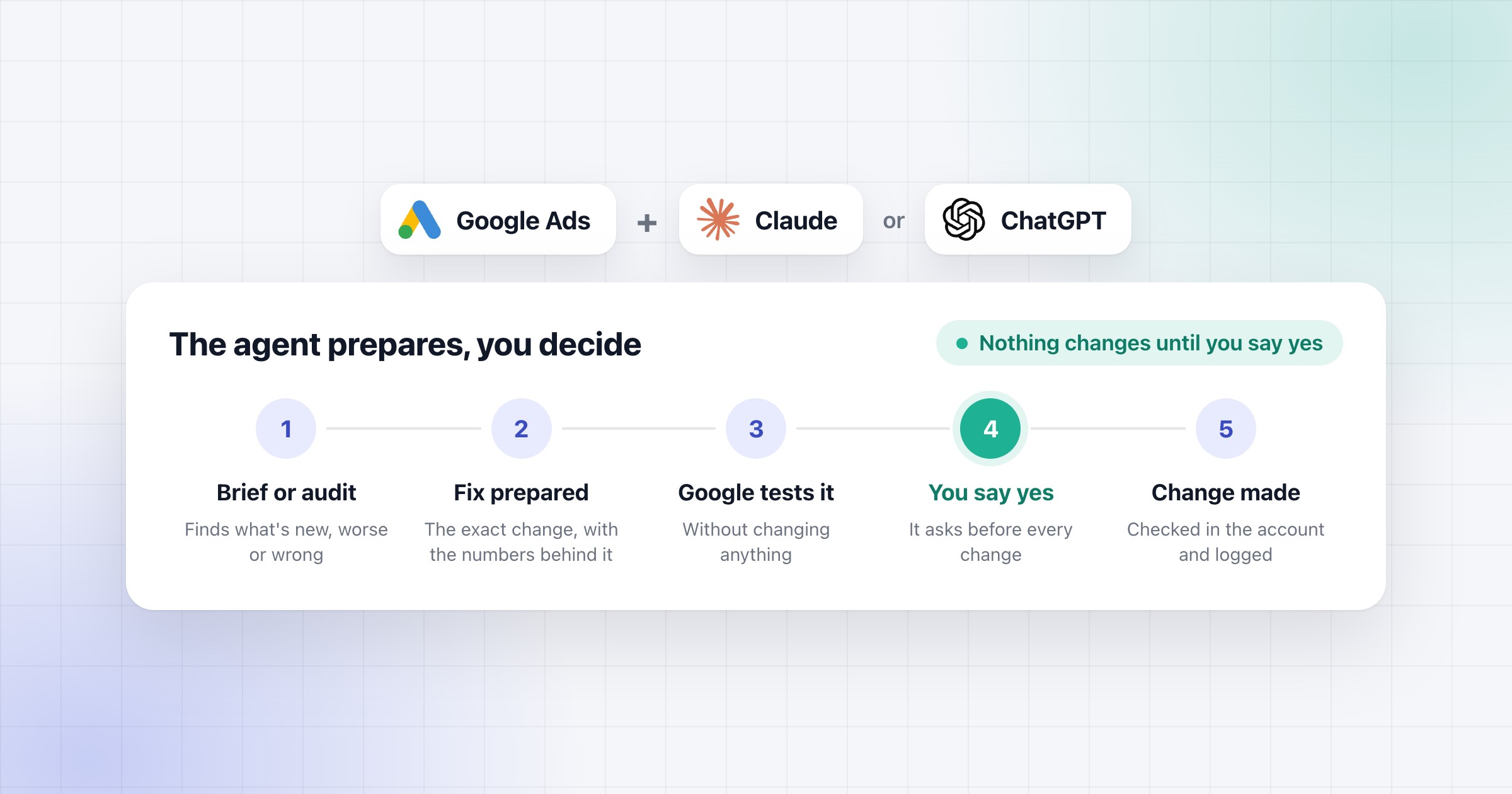
Nothing should change until you say yes. Your AI app is the one that asks. In a Claude chat you approve each tool before it runs, but in Research it doesn't ask, so switch off the tools that make changes first. ChatGPT asks before every change by default. Never click "Allow always" in Claude, and never let ChatGPT remember your yes for the conversation. By default, that question is the only check before an ad goes live.

Meta also warns that an agent can do anything the access you grant allows, even when an instruction hidden in something it reads tells it to. So set three things on Meta's side before the first prompt. The rules and the spending limit back each other up, and the login is one more step on top.

  1. Meta's agent rules. You need full control of the business portfolio. In Meta Business Suite, go to Settings, and under Integrations select Ads MCP server. Pick the ad account, then switch "Budgets set above this amount" to Blocked, and enter the highest budget you'd approve. You can also block Create campaigns there, and delivery status changes if you'd rather set ads live yourself. If you don't see Ads MCP server, your business doesn't have access to the rules yet.
  2. An account spending limit. In Ads Manager, go to your Payment settings. In the Account spending limit section, click Options, then Set limit. Enter the amount, click Save, then Done. Once the account reaches it, your ads pause. Meta says only an admin can change it, and an account paid with available funds can't have one.
  3. A login that isn't an admin. Use someone with the Advertiser role, or in a business portfolio, partial access to manage campaigns. They can create and edit ads, but not change the payment method or who has access. Meta doesn't say the connector sticks to your role, so see it as an extra.

In the setup we build for clients, Claude shows you each change as it is now and as it will be, and makes it only after your yes. A new ad goes in as a draft, and it goes live only on a second yes, because that's the step that spends money. Then Claude reads the change back from the account and logs what was there before.

Within a day it checks that the ads it touched are running. If an ad gets rejected, it stops and tells you instead of trying again on its own.

How to connect it to Claude or ChatGPT

Meta hosts the server, so there's nothing to install. You add this address to your AI app and sign in with Facebook, and you don't need a Meta developer app.

https://mcp.facebook.com/ads

In Claude

  1. Go to Customize, then Connectors. Click "+ Add", then "Add custom connector".
  2. Name it Meta Ads, paste the address above as the server URL, and click Continue.
  3. Under Authentication, choose "Sign in now", leave the OAuth client as Claude detected it, and click Add.
  4. Sign in with the Facebook account that has access to your ad accounts. Meta asks which business portfolios it can reach, so pick the ones that hold your clients' accounts, and confirm. If Facebook doesn't open, find Meta Ads under Customize, then Connectors, and click Connect.
  5. In a chat, click the "+" button at the bottom left, choose Connectors and switch Meta Ads on.

Anthropic says you can only add one custom connector on the Free plan. On a Team or Enterprise plan, an owner adds it first under Organization settings, then Connectors, then Add, Custom and Web, and then each of you clicks Connect on it.

In ChatGPT

  1. On the web, go to ChatGPT Plugins. Select the plus button, then "Add custom MCP server".
  2. Name it Meta Ads. Under Connection, paste the address above as the Server URL.
  3. Choose OAuth as the way to sign in.
  4. Read the risk warning, select "I understand and want to continue", then "Create as a plugin".
  5. Install the plugin, and sign in with Facebook when it asks.
  6. In a chat, type @ and pick Meta Ads.

If you don't see Add custom MCP server, your plan or your workspace's settings don't allow it.

In Claude Code

Run this once in your terminal:

claude mcp add --transport http meta-ads https://mcp.facebook.com/ads

Then start Claude Code, type /mcp, pick meta-ads and sign in with Facebook in your browser. If you go through your own Meta developer app, Meta's docs add its ID:

claude mcp add --transport http --client-id <META_APP_ID> meta-ads https://mcp.facebook.com/ads

Then set its access, and test it

Once you've signed in, go to Settings on Facebook, then Business Integrations. Your AI app is listed there with its access, Read or Manage. Set it to Manage if you want it to make changes after your yes, or Read if you only want reports. That's also where you remove it.

To test it, ask "Which Meta Ads tools do you have?" and you should see the list. Then ask for last week's amount spent in one ad account. If it matches Ads Manager, it works.

To reach a client's account, the client shares its ad account, Page, Instagram account and dataset with your business portfolio as a partner. Meta also switches its server on account by account. If Claude says an account isn't enabled for it, you can't switch that on yourself, so that account waits for Meta.

One more thing before you connect client accounts. We only put client data through business plans, such as Claude Team or Enterprise, or ChatGPT Business.

Meta opened its ad accounts to outside AI, changes included. Meta's developer post says to start "in a read-only or approval-required posture" and widen "as confidence grows", and I think that's right. That's how we set it up for clients. Claude does the reading and prepares the changes, and nothing goes in until someone says yes. The next step is how agencies run checks like this every morning.

Questions people ask

Can the Meta Ads MCP server change my ads or spend money?

Yes. It can create campaigns, ad sets and ads, edit them, and switch a paused one to active, which Meta says starts spending budget. The campaigns, ad sets and ads it creates start paused. By default, the only check before one goes live is the question your AI app asks, unless a Meta agent rule blocks delivery status changes. So never click Allow always on the tools that make changes.

Do I need a Meta developer app to connect Claude or ChatGPT to Meta Ads?

No. You add Meta's server address to Claude or ChatGPT and sign in with Facebook. An agency or partner that connects clients' accounts through its own Meta app has to submit that app for Meta's review.

How do I stop an AI agent from raising budgets on Meta?

If your business has Meta's agent rules, open Settings in Meta Business Suite and select Ads MCP server under Integrations. There you can block budgets above an amount you choose. Set an account spending limit too, which only an admin can change, and keep your AI app asking before every change.

Which AI apps work with the Meta Ads MCP server?

Meta has validated Claude Desktop and Claude Code, ChatGPT on the web, Codex and Cursor. It says other apps aren't supported yet. Its Help page also names Claude and Perplexity.

Will connecting an AI agent get my Meta ad account banned?

Meta says it's safe to connect through its ads MCP server, and unlikely that an account gets banned just for using it. Bans usually come from breaking Meta's advertising standards.

See which growth engines fit your company.

On the call we look at your business and your channels, and show you which engines we would build first.